Microsoft Agent Framework 2026: Python Highlights and the Go Implementation
Microsoft Agent Framework의 Python 주요 기능과 Go 구현 선택지를 비교합니다.
Python highlights Agent Harness and Agent Skills. The Go section briefly positions the official Go implementation within the MAF ecosystem.
Part I — Python: Two Capabilities Worth Examining
1. Agent Harness
What Microsoft released
Microsoft defines an agent harness as "the scaffolding that turns a language model into an agent," and describes the shipped Harness as "an opinionated, fully customizable, batteries-included agent that wraps a chat client with a complete agentic pipeline, tuned for long-running, autonomous work such as research, data analysis, and general task automation." Microsoft states the default capability list, each "enabled by default and individually customizable or removable": function invocation (the tool-calling loop with a configurable iteration limit), per-service-call history persistence, compaction, todo and agent-mode providers, file memory, Skills, web search (when the chat client's service provides it), tool approval, and built-in OpenTelemetry telemetry.
Microsoft states that internally the Harness "is just a chat-client agent (Agent in Python, ChatClientAgent in .NET) with a curated set of Agent Framework features added" — the distinction from a basic Agent is this pre-assembled feature set, not a separate runtime. Under its "Coming soon" section, Microsoft states that background agents, file access, looping, and shell tooling (the last "from the alpha-stage tools package") are opt-in features it is "not releasing yet," adding "you will get a warning when opting into these features." (Source: The Microsoft Agent Framework Harness is now released.)
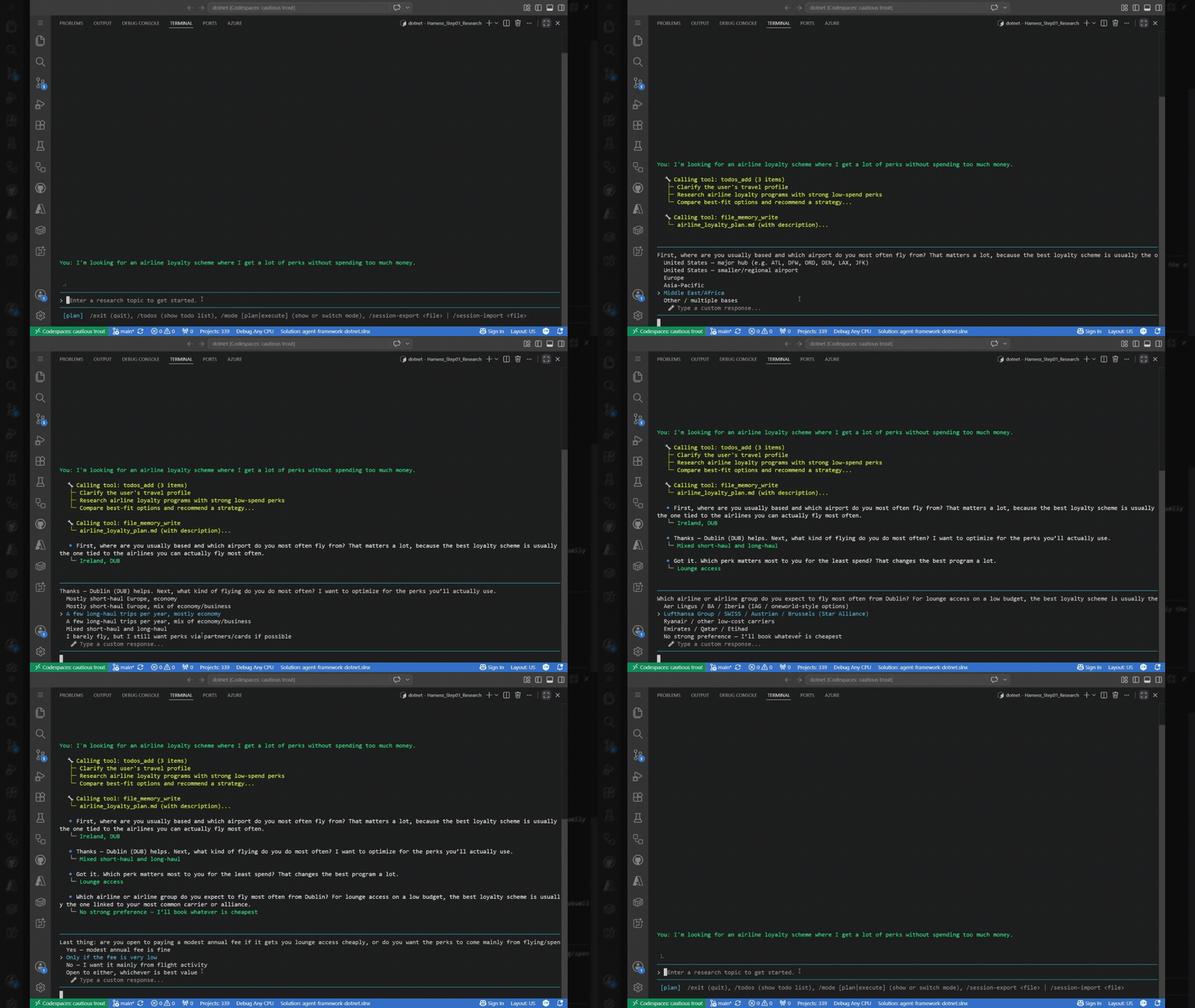
The official demo shows a Harness-built research agent planning, tracking a todo list, and executing a multi-step task end to end. Source: The Microsoft Agent Framework Harness is now released.
How the Harness is assembled
Reading agent_framework/_harness/_agent.py at python-1.14.0 confirms the exact create_harness_agent() assembly described below.
- Factory result: the resulting object is returned as an
Agent, so it can be passed anywhere anAgentis expected. The constructed context providers (todo, agent-mode, file memory, and the opt-in Skills provider), the assembled middleware chain, and the per-service-call history persistence and compaction all attach to that same ordinaryAgentinstance. - Context providers: a
SkillsProvideris appended only when the caller passesskills_providerorskills_paths— the source comment states "Skills are opt-in: only added when skills_provider or skills_paths is provided." When the chat client implementsSupportsWebSearchTool, the client's web search tool is appended to the assembled tool list unless the caller passesdisable_web_search=True. Web search is therefore opt-out, not opt-in, and is not marked experimental. - Middleware and client loop: the assembled middleware chain is
[ToolApprovalMiddleware, MessageInjectionMiddleware]plus any user-supplied middleware — message injection is always on, with no opt-out. Only when the caller setsloop_should_continueis the opt-inAgentLoopMiddlewareprepended, so it sits outermost of all and each iteration re-runs the full chain including tool approval. The tool-calling loop itself is not part of this middleware chain: it belongs to the chat client'sFunctionInvocationLayer, andAgent.__init__only logs a warning when the supplied client does not implement it. - Defaults and opt-ins:
background_agents,file_access_store, andloop_should_continueare each collected into oneexperimental_paramslist that triggers a singleExperimentalWarningunder theHARNESSfeature id when any of them is set.shell_executoris checked separately and, when set, triggers its own distinctExperimentalWarningunder a separateSHELL_TOOLINGfeature id — a dedicated label the source comments explain exists "to avoid suppressing unrelated HARNESS warnings."Source-derived diagram based on python-1.14.0.flowchart TB Input[client + instructions + tools + opt-ins] --> Factory[create_harness_agent] Factory --> Agent[Agent] Factory --> Providers["Context providers: Todo, AgentMode, Memory, Skills (opt-in)"] Factory --> Middleware["Middleware chain: tool approval, message injection"] Middleware -.->|opt-in, prepended outermost| Loop[Agent loop] Agent --> Persistence[Per-service-call history] Agent --> Compaction[Context compaction] Agent --> Client["Chat client: function-invocation loop"]
sequenceDiagram
    participant App
    participant Harness as Harness Agent
    participant Providers as History/Memory/Skills/Mode
    participant Model as Chat Client
    participant Approval as Tool approval
    participant Tool
    App->>Harness: run(input, session)
    Harness->>Providers: restore history, memory, skills, todo/mode
    loop until done
        Harness->>Model: messages + visible tools
        Model-->>Harness: response or tool call
        Harness->>Approval: check approval rule
        Approval-->>Harness: approve / request approval
        Harness->>Tool: invoke approved call
        Tool-->>Harness: result
        Harness->>Harness: persist history and run compaction if needed
    end
    Harness->>Providers: save todo/plan state
    Harness-->>App: AgentResponse
Complete validated example
import asyncio
import os

from agent_framework import create_harness_agent
from agent_framework.foundry import FoundryChatClient
from azure.identity import AzureCliCredential

async def main() -> None:
    client = FoundryChatClient(
        project_endpoint=os.environ["FOUNDRY_PROJECT_ENDPOINT"],
        model=os.environ["FOUNDRY_MODEL"],
        credential=AzureCliCredential(),
    )
    harness = create_harness_agent(
        client=client,
        agent_instructions="Plan the work, then execute it, and request approval for risky actions.",
    )

    response = await harness.run("Prepare the checklist for this week's deployment.")
    print(response.text)

if __name__ == "__main__":
    asyncio.run(main())
| Component | Default behavior at python-1.14.0 |
|---|---|
| Function invocation loop | belongs to chat client's FunctionInvocationLayer, not part of create_harness_agent() assembly |
| Per-service-call history persistence | always wired by the factory (require_per_service_call_history_persistence=True); provider is swappable via history_provider, but there is no disable flag |
| Compaction | inert by default — automatically disabled unless max_context_window_tokens/max_output_tokens or a custom before_compaction_strategy/after_compaction_strategy is supplied; an explicit disable_compaction flag forces it off regardless |
| Todo, agent-mode, tool auto-approval | default providers/middleware (TodoProvider, AgentModeProvider, ToolApprovalMiddleware) enabled unless disabled via disable_todo, disable_mode, disable_tool_auto_approval |
| Telemetry (OpenTelemetry) | enabled by default; no disable flag in create_harness_agent() |
| Web search | on by default on a supporting chat client; opt out with disable_web_search=True |
| Skills | opt-in; added only when skills_provider or skills_paths is supplied |
background_agents, file_access_store, loop_should_continue |
opt-in; emit one shared ExperimentalWarning (HARNESS) |
shell_executor |
opt-in; emits a separate ExperimentalWarning (SHELL_TOOLING) |
| ## 2. Agent Skills |
What Agent Skills provide
Microsoft describes Agent Skills as "reusable bundles of domain expertise (instructions, reference material, and scripts that load only when a task calls for them)," discoverable "on demand" and kept lean through "a four-stage progressive disclosure pattern: advertise skill names → load instructions → read resources → run scripts." Microsoft states the format supports three independent authoring styles — file-based, class-based, and code-defined skills — so teams can author and release skills on their own schedule, and that "the core skills API has no experimental gate" at this release. (Source: Agent Skills for Python is now released.)
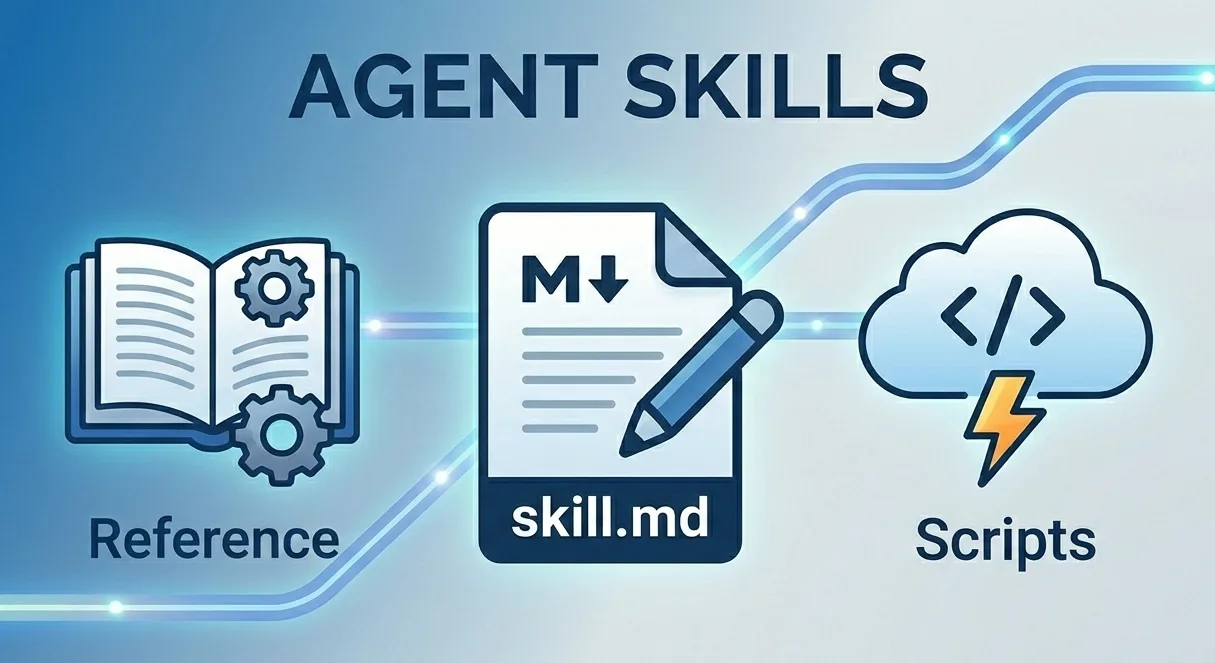
Agent Skills package anatomy: SKILL.md, references, and scripts loaded progressively as a task requires them. Source: Give Your Agents Domain Expertise with Agent Skills in Microsoft Agent Framework.
How Skills are loaded and governed
At python-1.14.0, the source confirms the following skill boundaries.
- Skill sources:
SkillsProvider.from_paths(...)builds a provider from one or more skill directories without requiring the caller to hand-assemble a context provider. The provider exposesload_skill,read_skill_resource, andrun_skill_scriptas the three tools that implement progressive disclosure. - Approval boundaries: all three tools are registered with
approval_mode="always_require"by default. The provider offers explicit opt-outs — for exampledisable_load_skill_approval— to relax individual tools. - Harness integration: inside
create_harness_agent(), aSkillsProvideris added only when the caller suppliesskills_providerorskills_paths. Skills are opt-in inside the Harness, not part of its default assembly. - Experimental MCP source:
MCPSkillsSource(the Python identifier uses an all-capitalMCPprefix) discovers skills served over MCP by reading askill://index.jsonresource. The class is decorated@experimental(feature_id=ExperimentalFeature.MCP_SKILLS)in the pinned source. Source-derived diagram based on python-1.14.0.
Complete validated example
import asyncio
import os

from agent_framework import Agent, SkillsProvider
from agent_framework.foundry import FoundryChatClient
from azure.identity import AzureCliCredential

async def main() -> None:
    client = FoundryChatClient(
        project_endpoint=os.environ["FOUNDRY_PROJECT_ENDPOINT"],
        model=os.environ["FOUNDRY_MODEL"],
        credential=AzureCliCredential(),
    )
    skills_provider = SkillsProvider.from_paths("./skills")
    agent = Agent(
        client=client,
        instructions="Load a skill only when the task requires it.",
        context_providers=[skills_provider],
    )

    response = await agent.run("Use the deployment checklist skill to review readiness.")
    print(response.text)

if __name__ == "__main__":
    asyncio.run(main())
Related: Progressive Tools
Progressive Tools is a related but separate, narrower capability: a tool handler can call FunctionInvocationContext.add_tools()/remove_tools() to change the visible tool list for the run's next iteration. Both methods are decorated @experimental(feature_id=ExperimentalFeature.PROGRESSIVE_TOOLS) at python-1.14.0, and it is not selected as a main feature in this brief.
Part II — Go: A New Language Implementation in the MAF Ecosystem
Official banner from the Microsoft Agent Framework for Go repository.
Where Go sits today
Microsoft describes this repository as the Go implementation of Microsoft Agent Framework. It is therefore part of the official MAF language family, alongside .NET and Python, rather than an unrelated community SDK.
There is one important qualification: Go has not yet been merged into the core upstream repository. The pinned README states that it is in Public Preview and is "currently evolving outside the core upstream codebase." Microsoft expects "closer alignment with the broader MAF ecosystem" as adoption and feedback grow.
flowchart LR
    MAF[Microsoft Agent Framework] --> Core["Core upstream repository<br/>.NET and Python"]
    MAF --> Go["Official Go repository<br/>Public Preview"]
    Go -.->|"adoption + feedback"| Alignment[Closer MAF ecosystem alignment]
Current repository position described by the Go README, pinned to 2026-08-14.
What is worth noting
- A new official language implementation: Go extends MAF's reach to Go teams while retaining the framework's shared Agent, Tool, Middleware, and Workflow concepts.
- Go-native rather than a direct port: shared MAF concepts are expressed through Go conventions rather than mirroring the .NET API.
- Still a preview: feature coverage and alignment are evolving. Use the official comparison for the current gap list rather than assuming parity with .NET or Python.